What the mission can document
- Roof-system overview and condition documentation
- Rooftop equipment, penetrations, drains, and parapets
- Post-weather-event exterior documentation
- Maintenance planning and vendor coordination
 Start a drone project
 ROOF SYSTEMS / TRI-CITIES, WA
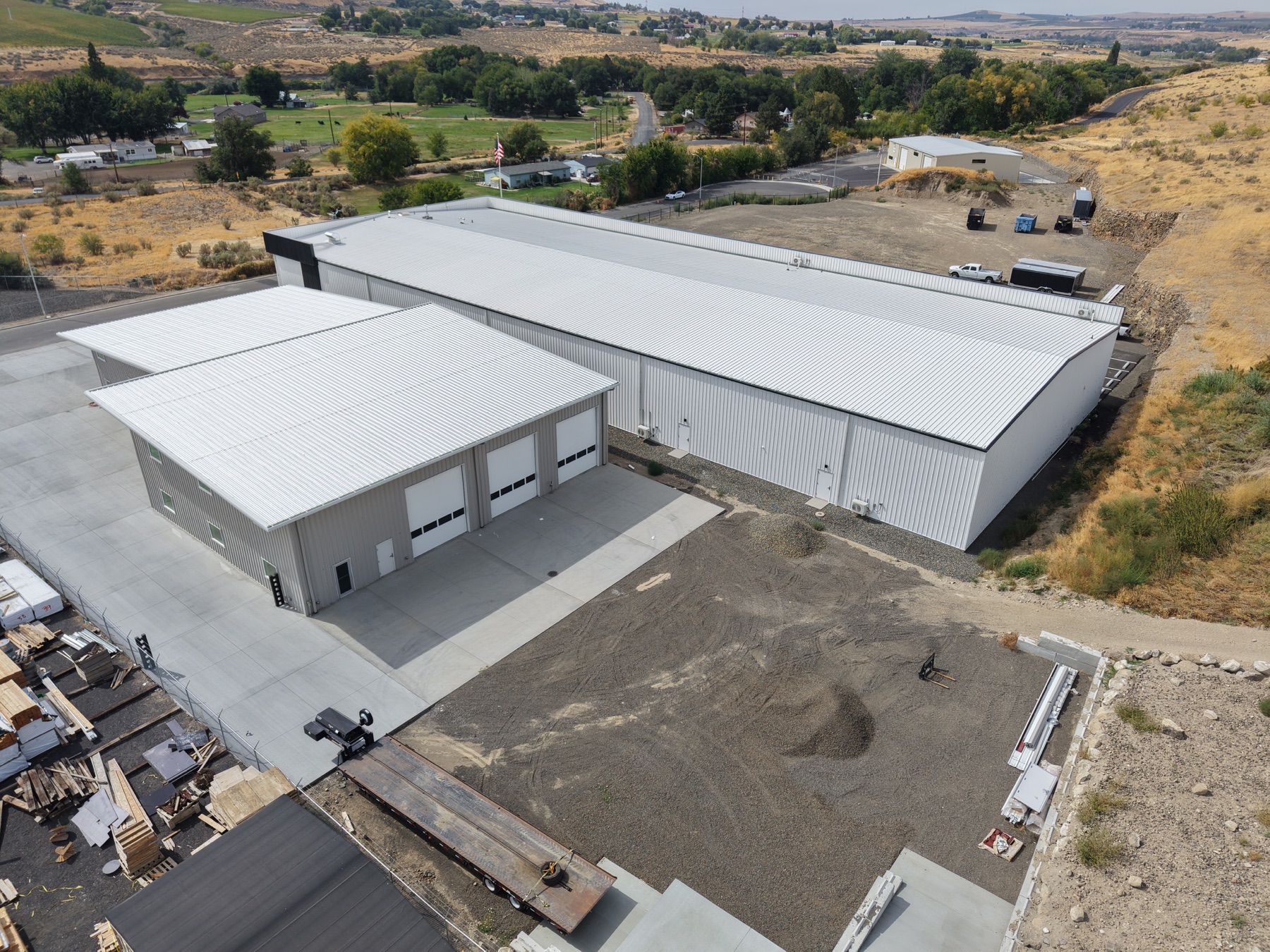
Targeted aerial views help roofing, facilities, and property teams review elevated exterior conditions without making a routine climb the first step.
Mission objective
We define the roof areas, penetrations, drainage features, rooftop equipment, parapets, or other exterior details that need to be documented before flight.
The result is an organized visual record your qualified roofing, engineering, insurance, or facilities professional can review.
Aerial imagery does not replace a physical investigation or licensed roofing, engineering, code, or insurance opinion.
Before we fly
No. Tri-Cities Drone Service provides visual documentation. A qualified roofing, engineering, insurance, or other licensed professional is responsible for interpretation and conclusions.
Yes, when the requested views can be captured safely and within operational limits. Identify the areas or components your reviewer needs to see when requesting a quote.
Start with the site
Share the location, requested service, and timing. TCDS confirms the work before flying and invoices after delivery.