What the mission can document
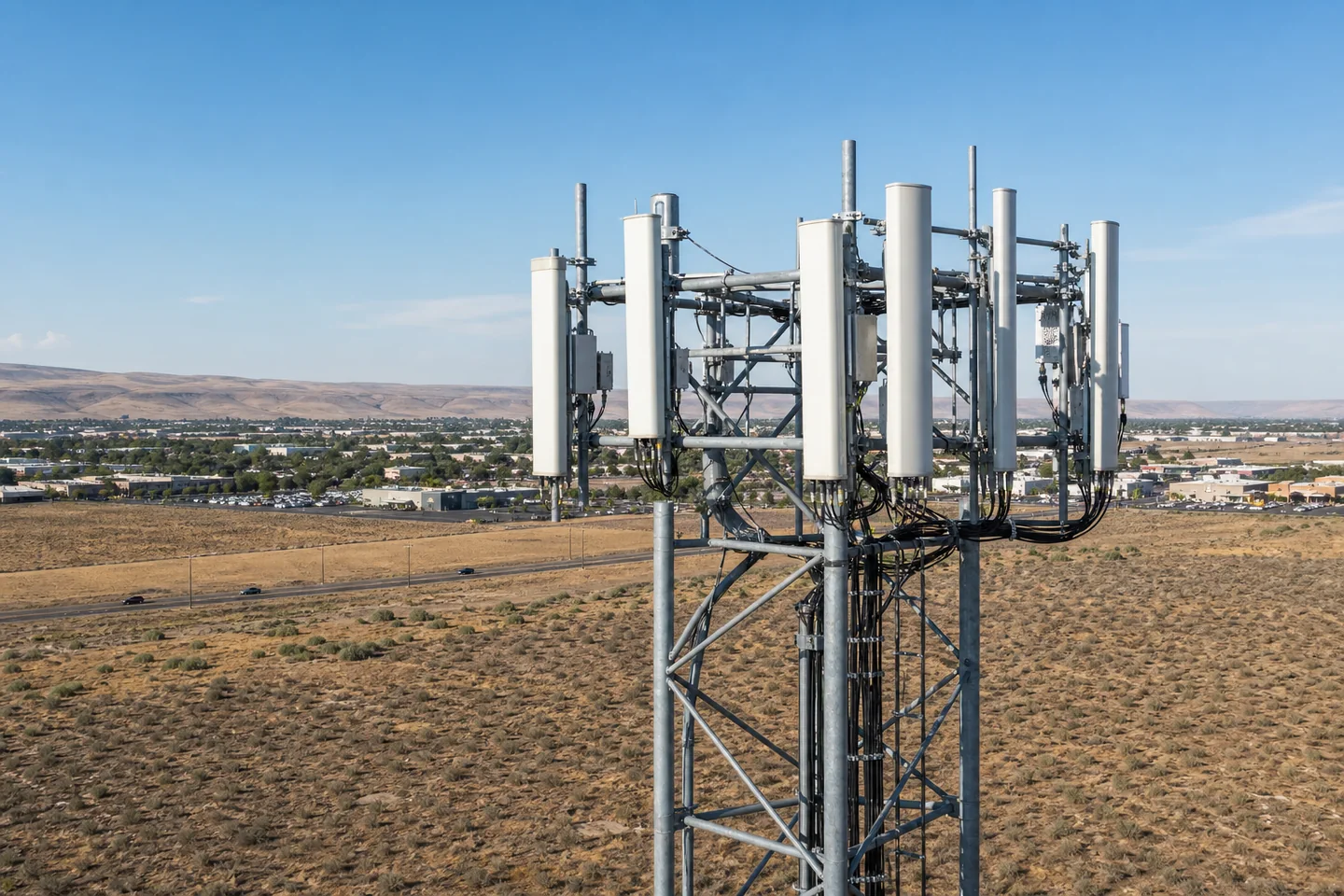
- Antenna and mount visual documentation
- Cable routing and exterior hardware imagery
- General tower-structure overview
- Pre-work and post-work visual records
 Start a drone project
 CELL-TOWER EXTERIORS / WASHINGTON
Mission-specific aerial capture can document antennas, mounting hardware, cable routing, and exterior structure for qualified telecom and engineering teams.
Mission objective
Tower work begins with a defined asset, target components, site-owner coordination requirements, and the exact visual questions the imagery must support.
Because RF environments and controlled sites require specialized information, every tower request is evaluated individually before scheduling.
Tower imagery does not constitute a structural, engineering, maintenance, or RF-compliance opinion.
Before we fly
No. We provide exterior visual documentation for qualified telecom, engineering, or asset-management professionals to review.
No. Access, authorization, RF information, airspace, nearby obstacles, weather, and other operating limits determine whether and how a mission can proceed.
Start with the site
Share the location, requested service, and timing. TCDS confirms the work before flying and invoices after delivery.